2021. 8. 25. 04:33ㆍAndroid Studio/안드로이드 스튜디오(JAVA)
https://www.youtube.com/watch?v=M44Bcs-_9D0&list=PLC51MBz7PMyyyR2l4gGBMFMMUfYmBkZxm&index=22
안드로이드 앱 개발 강의
#21 Loading Animation
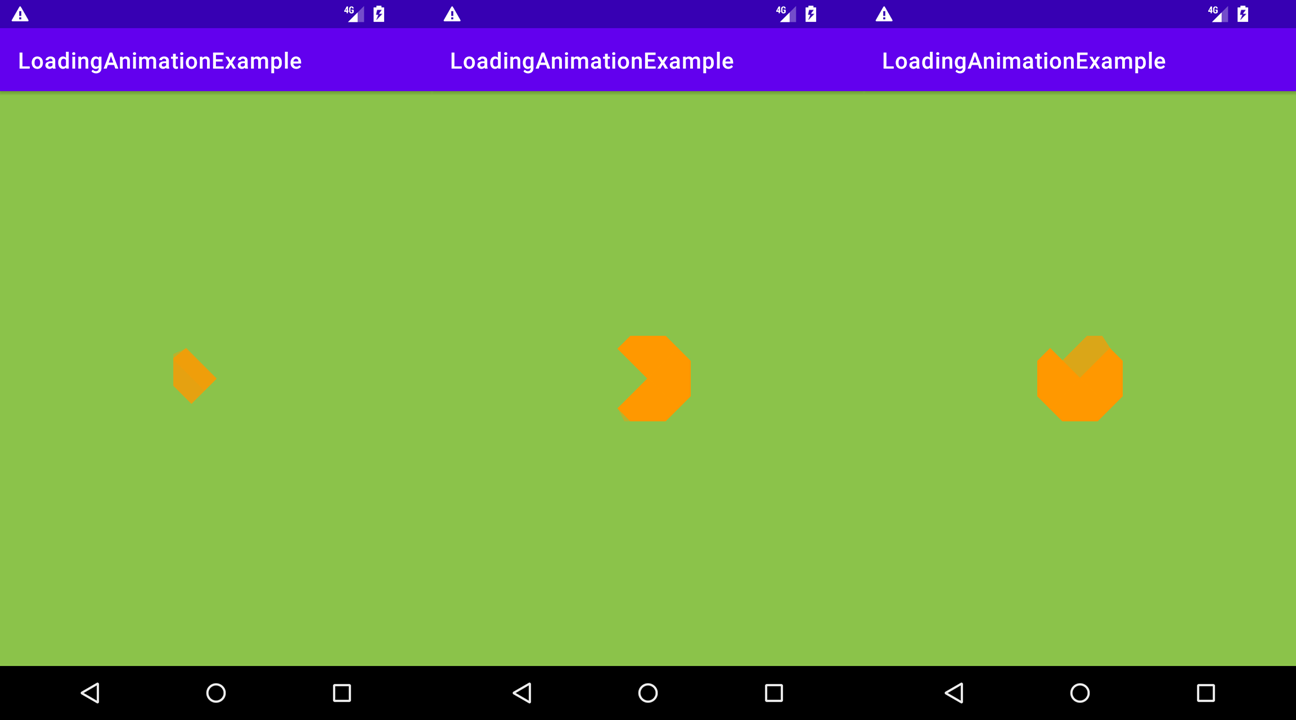
흔히 우리가 아는 그 로딩화면을 만들어 볼 것이다.
1. GitHub
https://github.com/ybq/Android-SpinKit
GitHub - ybq/Android-SpinKit: Android loading animations
Android loading animations. Contribute to ybq/Android-SpinKit development by creating an account on GitHub.
github.com
GitHub에서 이미 만들어져 있는 로딩 화면 파일을 가져와서 사용하였다. 파일을 아예 다운로드 해서 실행 시켜보기도 했는데 그건 그냥 파일을 다운받아서 실행만 시키면 되는 거라 따로 글을 적지는 않겠다.
로딩 애니메이션 사용 방법이 설명돼 있으므로 그대로 따라하면 된다.
2. build.gradle (:app)
|
1
|
implementation 'com.github.ybq:Android-SpinKit:1.4.0'
|
cs |
dependencies 안에 위 코드를 넣어준다.
3. main_activity.xml
|
1
2
3
4
5
6
7
8
9
10
11
12
13
14
15
16
17
18
19
|
<LinearLayout xmlns:android="http://schemas.android.com/apk/res/android"
xmlns:app="http://schemas.android.com/apk/res-auto"
xmlns:tools="http://schemas.android.com/tools"
android:layout_width="match_parent"
android:layout_height="match_parent"
tools:context=".MainActivity"
android:background="#8BC34A"
android:gravity="center">
<com.github.ybq.android.spinkit.SpinKitView
xmlns:app="http://schemas.android.com/apk/res-auto"
android:id="@+id/spin_kit"
style="@style/SpinKitView.Large.FoldingCube" //원하는 로딩 애니메이션 스타일명 찾아 넣기.
android:layout_width="wrap_content"
android:layout_height="wrap_content"
android:layout_gravity="center"
app:SpinKit_Color="#FF9800"/>
</LinearLayout>
|
cs |
GitHub 들어가면 xml 파일에 어떻게 입력해야 하는지 코드가 나와 있다. 그걸 그대로 복사한 뒤에 원래 있던 텍스트 뷰를 지워주고 대신 붙여넣는다. 그리고 ConstraintLayout 대신 LinearLayout으로 바꿔주기만 하면 된다.
로딩 애니메이션 종류가 꽤 다양한데 그 중에서 마음에 드는 것을 골라 스타일명을 찾아 수정하면 된다. 색깔도 바꿀 수 있다.
4. 실행

'Android Studio > 안드로이드 스튜디오(JAVA)' 카테고리의 다른 글
| 안드로이드 앱개발 스터디9 - 01 (뒤로가기 두 번 눌러 앱 종료) (0) | 2021.09.04 |
|---|---|
| 안드로이드 앱개발 스터디8 - 03 (MP3 Player) (0) | 2021.08.25 |
| 안드로이드 앱개발 스터디8 - 01 (Spinner) (0) | 2021.08.25 |
| 안드로이드 앱개발 스터디7 - 01 (MediaRecorder) (0) | 2021.08.18 |
| 안드로이드 앱개발 스터디5 - 03 (RecyclerView 응용) (0) | 2021.08.14 |